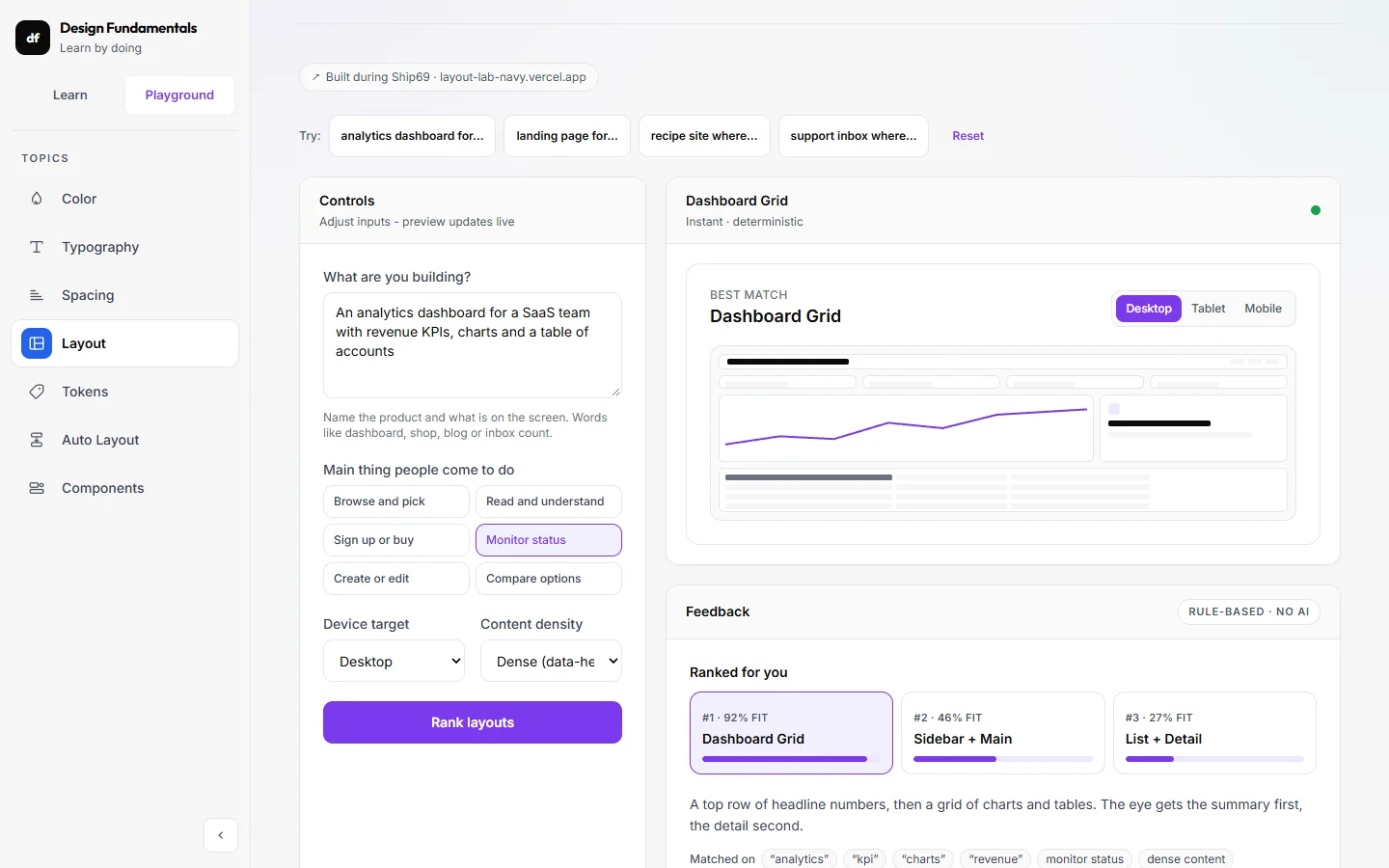
← All work
df. · Design FundamentalsLive website

From learning design systems to making them tangible.

A course-based learning website that connects seven design foundations with practical examples and playgrounds.

Role
Designer & developer
Type
Course-based personal project
Tools
React, TypeScript, Tailwind CSS
Timeline
1 month
Platform
Web
Visit live site ↗
Learn overview
Learn overview
The brief

I could use design-system components, but wanted to understand how the decisions underneath them fit together. The Interface Anatomy course gave me a way to work from foundations through to reusable components.

What I owned

I developed the foundations in Figma and translated them into a website covering colour, typography, spacing, layout, tokens, auto layout, and components.

Starting point

A personal learning project built from Interface Anatomy coursework and my own experience learning design systems.

How I worked

I started with Interface Anatomy coursework and developed the foundations in Figma. I translated that learning into a coded website, then redesigned the Learn overview to put a practical system example alongside the introduction and make the topic structure clearer. This was a personal learning and building project, rather than a client brief or a research-led product engagement.

Design decisions

How it takes shape.

Decision 01 · Make the system visible before the lesson begins

Make the system visible before the lesson begins

The redesigned overview pairs a short introduction with a Design System Lab. A sample task interface sits beside controls for primary colour, type scale, spacing density, and border radius. The lesson begins with a concrete interface rather than a list of definitions.
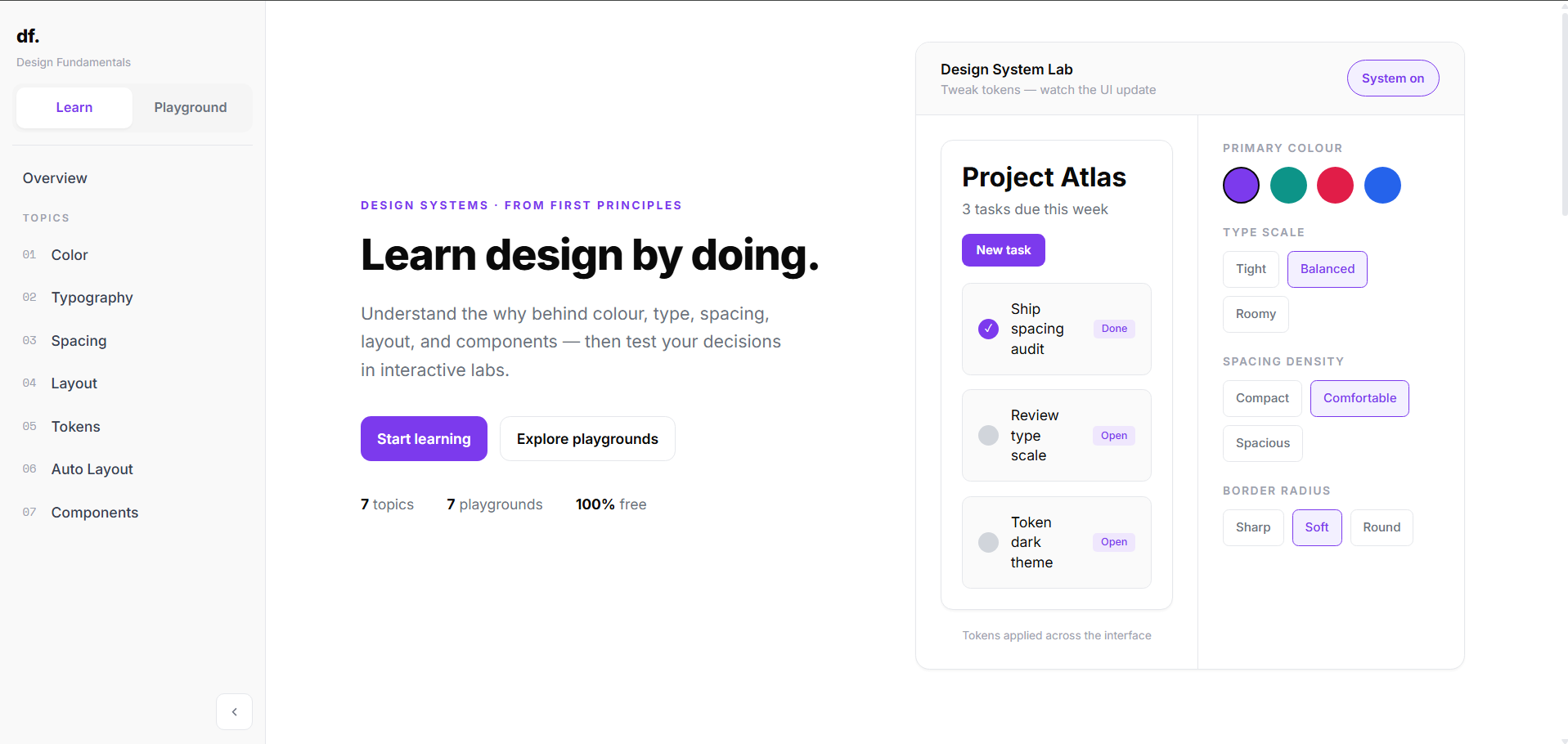
Redesigned Learn overview with the Design System Lab, sample task interface, and grouped token controls.

Why it matters

The preview and its controls share one panel, connecting abstract tokens to the interface they shape. The example gives learners a reference point before they explore individual topics.
Decision 02 · Organise seven foundations into a clear learning map

Organise seven foundations into a clear learning map

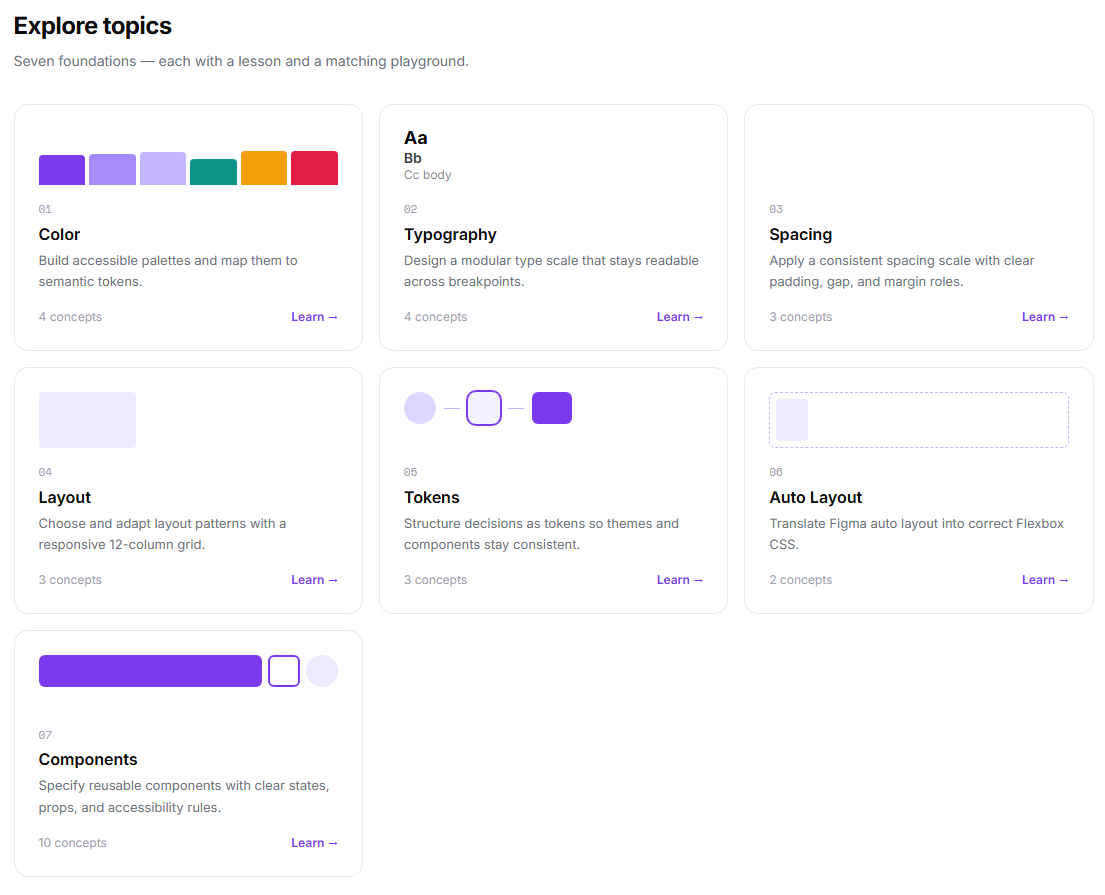
Colour, typography, spacing, layout, tokens, auto layout, and components each have a dedicated topic card. Every card follows the same hierarchy: topic, practical purpose, concept count, and learning link.

Seven topic cards describe the purpose and concept count of each design foundation.

Why it matters

Short descriptions explain what a learner will practise, while concept counts indicate the relative scope. A repeated card structure makes the topics easier to compare without reading a long syllabus.

Decision 03 · Keep learning and experimentation connected

Keep learning and experimentation connected

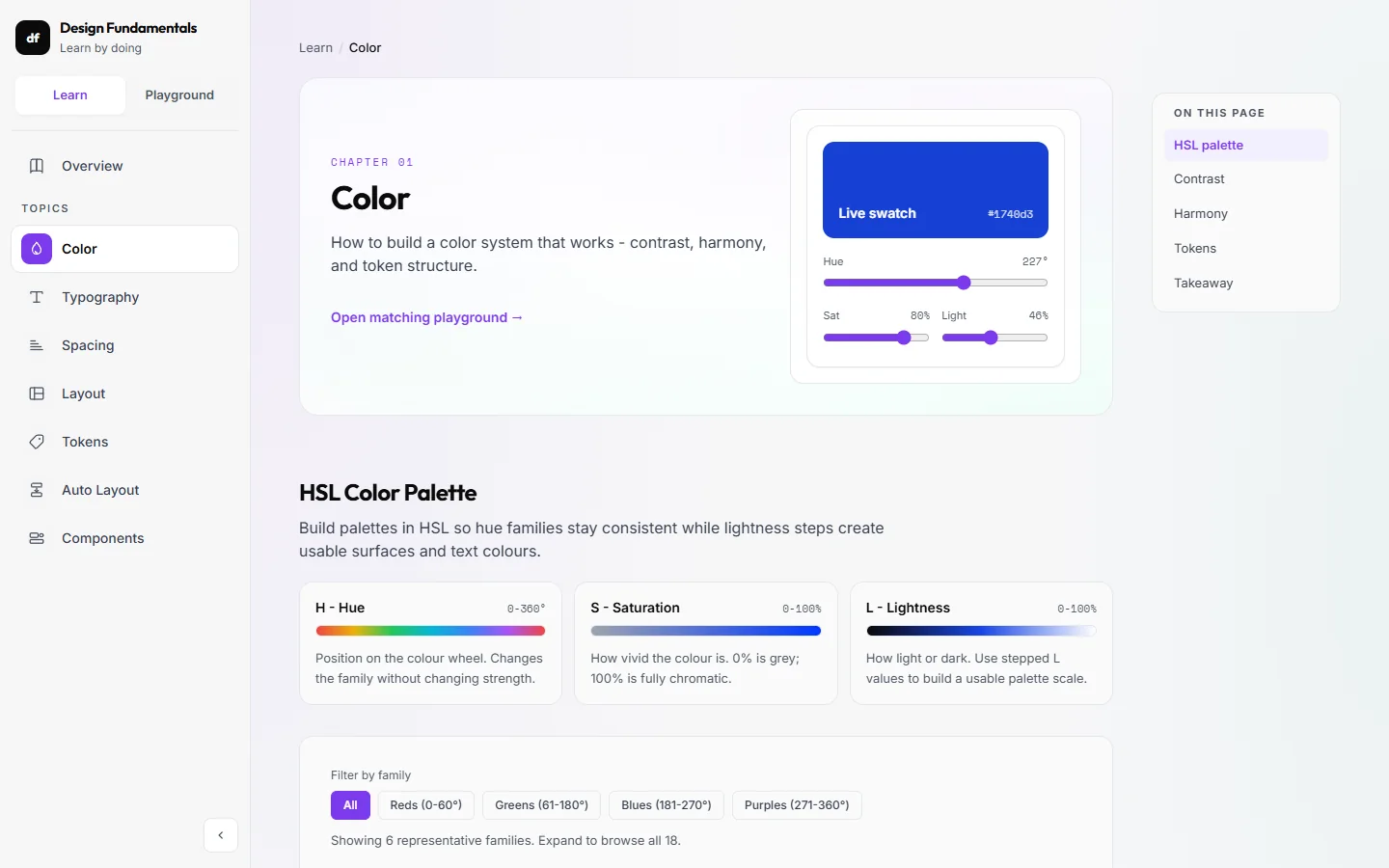
Learn and Playground are the two primary navigation choices. The topic list remains in the sidebar, giving the website a shared structure for explanations and practice instead of treating them as unrelated destinations.

Keep learning and experimentation connected

Why it matters

The intention is to make it easy to move between understanding a principle and trying a decision. The sidebar also gives returning learners a direct route to a particular foundation.

Decision 04 · Translate course foundations into a working website

Translate course foundations into a working website

I developed the foundations through Interface Anatomy and Figma, then built the learning resource in React and Tailwind. The redesign brings the system into the presentation itself through repeated navigation, topic cards, control groups, and a shared visual language.

Translate course foundations into a working website

Why it matters

Building the website connects design decisions to implementation. Colour, type, spacing, and components become things I can explain through an interface, rather than leaving the course work only in a design file.

Decision 05 · Seven playgrounds, one per topic

Seven playgrounds, one per topic

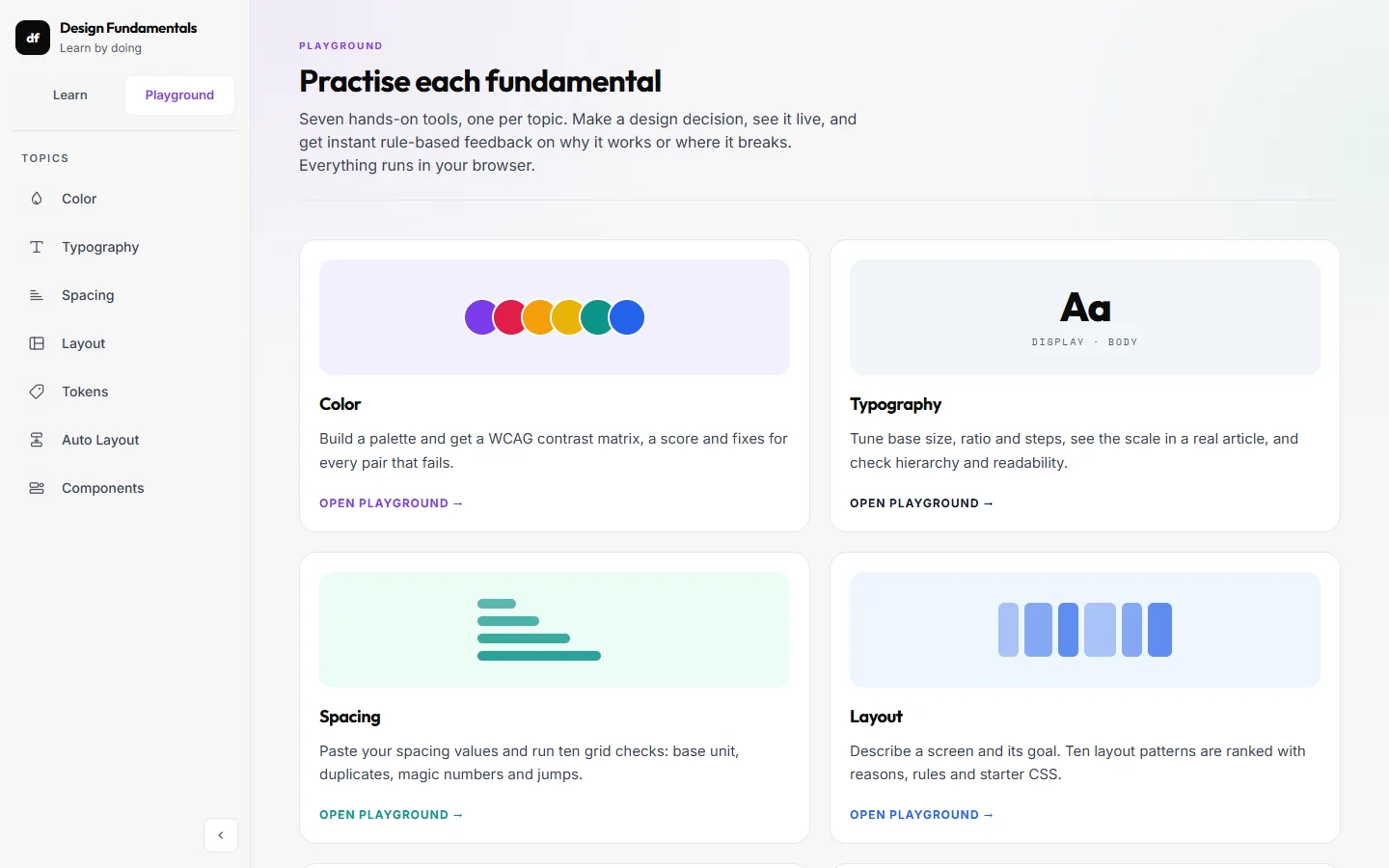
The Playground opens on all seven tools as cards, each with one line on what you can try: a contrast matrix, a type scale, spacing checks, layout ranking, token audits, auto layout and components.

Playground overview: one card per fundamental, matching the Learn topics.

Why it matters

Learners choose by what they want to practise, not by tool names they do not know yet.

Decision 06 · Feedback that explains, not just scores

Feedback that explains, not just scores

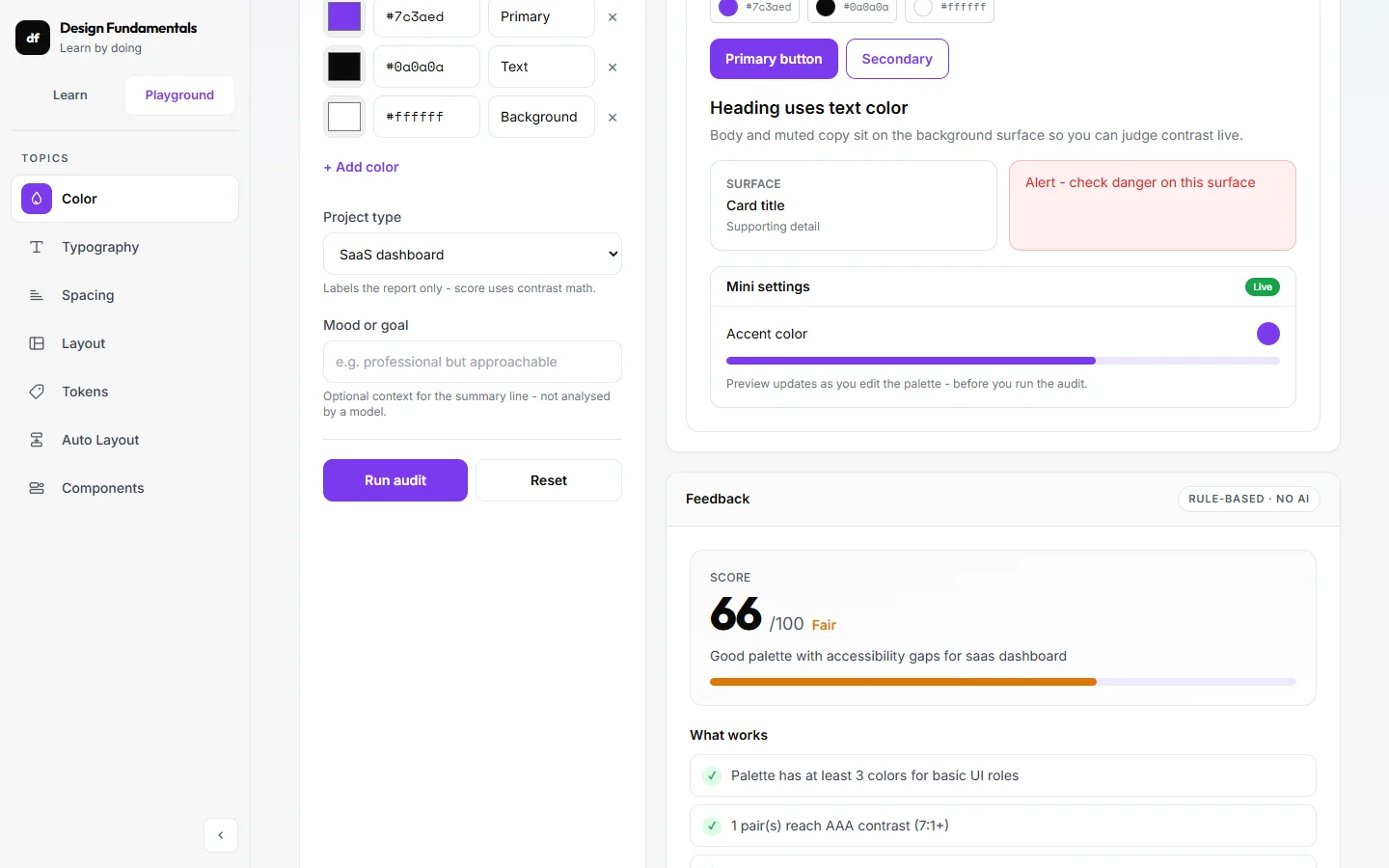
Every audit returns a score, what works, what may fail and what to change. The colour playground adds a contrast matrix for every pair in the palette.

Colour playground: live preview, then a scored audit with specific fixes.

Why it matters

A number alone teaches nothing. Saying which pair fails and why turns a check into a lesson. The rules run locally, so feedback is instant and needs no AI.

Where it landed

Live website.

Built and redesigned Design Fundamentals as a free learning resource in React and Tailwind. The new overview introduces a Design System Lab and a seven-topic learning map. This case study documents the design and implementation, without claiming measured learning outcomes.

Explore live ↗

Reflection

This project helped me move from using components to explaining the foundations behind them. Turning course material into a website required me to organise the concepts and decide what each example should make clear.

The redesign puts demonstration closer to explanation. Its strongest direction is the connection between a visible interface and the design choices that shape it, while the topic map provides a structured route into the details.

I have not measured learning outcomes. A useful next step is to ask learners to complete a small task, explain their choice, and note where the lesson or lab leaves them uncertain. That would guide further refinements to the content and interactions.